
Jackpotjoy Mobile App: Download, Features and How to Play on Your Phone
If you fancy a game of bingo on the bus or a few spins while the kettle boils, the Jackpotjoy mobile app is built for exactly that. This independent review covers how to download it on iPhone and Android, what the app actually does well, how the login works, and how deposits and withdrawals behave on mobile — everything you need before hitting the install button.
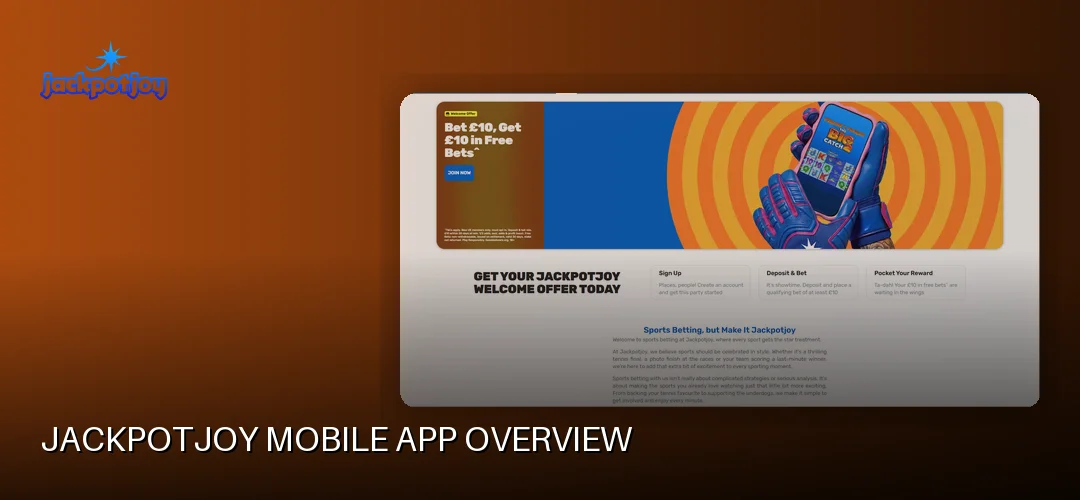
Jackpotjoy Mobile App Overview
Yes — Jackpotjoy has a proper mobile app, and it’s genuinely good. The operator offers a free native app for both Apple and Android devices, and the website itself is fully optimised for mobile browsers if you’d rather not download anything. Either way, you get access to the same account, balance and game library.
The Jackpotjoy app for Android is distributed as an APK through the operator’s own channels alongside store availability, while iPhone and iPad users can grab it directly from the App Store. As of June 2026, one review listed the iOS app at 4.7/5 from 32,000+ ratings at 91.3MB, and the Android app at 4.3/5 from 15,500+ ratings — a strong showing for a UK bingo brand that’s been running since 2002.
How good is Jackpotjoy on mobile? Based on what the operator documents, the mobile experience covers mobile bingo games, top slots and daily free games, all wrapped in an interface designed for touchscreens. The brand sits under Gamesys Operations Limited — part of Bally’s Corporation, alongside sister brands Virgin Games, Monopoly Casino and Rainbow Riches Casino — and holds a UK Gambling Commission remote operating licence, number 38905. That licence matters on mobile just as much as on desktop: your play is regulated wherever you log in from.
- iOS: free download from the App Store for iPhone and iPad
- Android: free app, including an APK option
- Mobile browser: fully optimised site, no download needed
- Content: mobile bingo, slots, casino games and daily free games
How to Download the Jackpotjoy App
Downloading the Jackpotjoy app is free on both platforms. iPhone users search “Jackpotjoy” in the App Store and tap Get; Android users can download the app via the operator’s site or store listing, with the Jackpotjoy android app download APK route available where needed. Installation takes a couple of minutes on a decent connection.
Downloading the Jackpotjoy app for Android
The Jackpotjoy mobile app for Android can be installed like any standard app. If you use the APK route, your phone will ask you to allow installation from that source — a normal Android step, not a red flag, provided you only ever download the Jackpotjoy android app APK from the operator’s own pages. Never grab a “jackpotjoy app download apk” file from a random third-party site.
Downloading the Jackpotjoy app for iPhone and iPad
For the Jackpotjoy app for iPhone, open the App Store, search the brand name and install — that’s the whole job. The same app works on iPad, so tablet players get a roomier layout for bingo cards without needing a separate download. The iOS listing is free and sits at around 91MB, so it won’t eat your storage.
Installation, permissions and requirements
The install process is standard on both platforms. Expect typical permissions such as notifications (so the app can ping you about promotions and daily free games) — you can decline these and everything still works. Keep your operating system reasonably up to date, and if the app ever misbehaves, check for an update first.
There’s no official Jackpotjoy download for PC — on desktop you simply use the website. The dedicated app experience is reserved for phones and tablets.
Jackpotjoy App Features and Functionality
The Jackpotjoy casino app carries the brand’s full core offering: online bingo in 75-ball, 80-ball and 90-ball formats, slots, Slingo, arcade and instant games, scratchcards, table games and a live casino. Slots fans will find the flagship Double Bubble from Roxor Gaming, and the wider lobby includes titles from providers such as Evolution, Gamevy, Inspired Gaming and Pragmatic Play. Demo and free play options are available too, so you can try games without staking a penny.
Mobile-specific touches include:
- Daily free games — a proper reason to open the app each day
- Push notifications — opt-in alerts for promotions, bingo session reminders and account activity
- Touch-friendly design — bingo tickets, slot reels and menus all sized for thumbs rather than mouse cursors
- Quick lobby access — bingo rooms show upcoming game times so you can hop in before the next round starts
New members can also claim the welcome offer through the app. The offer is exactly this: Play £10, Get £30 of Free Bingo* or Play £10, Get 100 Free Spins** on Fishin Frenzy The Big Catch 2 (1p coin size, 10 lines). Terms: new members only, must opt in, not valid with other welcome offers, min £10 deposit and £10 wager on slots game(s) (or on bingo for the bingo offer), 30 day expiry from deposit. Play Responsibly. GambleAware.org. 18+.
For a deeper look at the reel-based side of the lobby, the dedicated page covers it: Jackpotjoy slots.
How Do You Log In to the Jackpotjoy App in the UK?
The Jackpotjoy mobile login uses the same username and password as the desktop site. Open the app, tap the login button on the main screen, enter your details and you’re in — one account works across app, mobile browser and desktop, so your balance and bingo tickets follow you everywhere.
The Jackpotjoy app login for Android works identically: install the app or APK, tap login, and enter your existing credentials. There’s no separate “UK login app” — UK players simply use the standard app, and the login page inside it is the same one the website uses.
On supported devices, biometric options such as fingerprint or Face ID can make repeat logins faster, depending on your phone’s settings. Account management on mobile covers the essentials: checking your balance, reviewing transaction history, and setting responsible gambling tools — financial limits, session reminders, session limits, account cool-off (24 hours to six weeks), self-exclusion (6 months to 5 years) and GAMSTOP.
Login troubleshooting: if the Jackpotjoy login in the app fails, check your password (the reset link works on mobile), confirm your app is updated, and try switching between Wi-Fi and mobile data. If you’re wondering “is the Jackpotjoy app down?”, a quick test is loading the mobile website in your browser — if that works, reinstalling the app usually sorts it. Failing that, 24/7 live chat and email support are available, and live chat is free to use inside the app.
How Do Deposits and Withdrawals Work on the Jackpotjoy App?
All of Jackpotjoy’s payment methods work on mobile: Visa Debit, Visa Electron, Mastercard debit, Apple Pay and Google Pay for deposits, with bank transfer also available for withdrawals. Credit cards aren’t accepted, in line with UK regulations. The minimum deposit is £10.
Making a deposit in the app is quick — head to the cashier, pick your method, enter the amount and confirm. Apple Pay and Google Pay are particularly handy on a phone since they authenticate with your device’s built-in security. Maximum deposits run up to £10,000 per transaction on debit cards and Google Pay, and up to £5,000 on Apple Pay.
For withdrawals, the app uses a closed-loop policy, meaning funds go back to the method you deposited with. Withdrawals on Visa Debit and Mastercard run from £10 up to £25,000 per transaction, and Apple Pay withdrawals start from £10. Before your first withdrawal, KYC verification is required — you’ll need an ID document and, if requested, payment method documents.
Jackpotjoy withdrawal time with Apple Pay: Jackpotjoy aims to process withdrawals within 4 to 24 hours, and pending requests are usually processed within 4 hours. After processing, Visa Direct can arrive in as little as 4 hours, Mastercard and bank transfer take up to 1 working day, and Visa Debit can take up to 3 working days. Apple Pay cash-outs follow the same processing window before your bank credits the funds.
Security-wise, mobile payments benefit from the same protections as desktop: the UK Gambling Commission licence (no. 38905) requires segregated, regulated handling of player funds, and independent testing is carried out by NMi.
Mobile App vs. Desktop: Which Should You Use?
The short answer: use the app for everyday play and the browser when you’re on a bigger screen or a shared device. The app and the desktop site share the same account, wallet and game categories, so nothing you do on one is lost on the other.
Practical differences worth knowing:
- Convenience: the app launches straight into the lobby — no typing URLs or re-entering details each visit
- Layout: bingo rooms and slot lobbies are reflowed for portrait phone screens; desktop shows more games per row
- Alerts: only the app (or opted-in browser) can push notifications about promotions and daily free games
- Performance: the native app keeps core assets on your device, which generally means snappier loading on repeat visits than a cold browser session
Game selection is broadly the same across platforms, so you won’t miss bingo rooms or slots by choosing mobile. If a particular title is desktop-only, it simply won’t appear in the mobile lobby — but the headline content, including Double Bubble and the live casino, is present on the app. For a broader look at the brand beyond mobile, the main page is here: Jackpotjoy Review.
Frequently Asked Questions about the Jackpotjoy Mobile App
Does Jackpotjoy have a mobile app?
Yes. Jackpotjoy offers a free native app for Apple devices via the App Store and for Android, including an APK option. The website is also fully optimised for mobile browsers, so you can play bingo, slots and casino games on your phone with or without downloading anything.
How do I download the Jackpotjoy app?
iPhone and iPad users search “Jackpotjoy” in the App Store and tap Get — the download is free. Android users can download the app via the operator’s site or store listing, with an APK available where needed. Only ever download from official sources.
Is the Jackpotjoy app available for Android?
Yes, there is a Jackpotjoy app for Android. It’s a free download, and an APK version is offered through the operator’s own channels. As of June 2026, one review listed the Android app at 4.3/5 from 15,500+ ratings. Avoid third-party APK sites.
Can I play all Jackpotjoy games on mobile?
The app carries the full core range: 75-ball, 80-ball and 90-ball bingo, slots, Slingo, arcade and instant games, scratchcards, table games and live casino, plus daily free games. Selection is broadly the same as desktop, with any rare desktop-only title simply hidden on mobile.
How do I log in to the Jackpotjoy app?
Open the app, tap the login button and enter your usual Jackpotjoy username and password — the same credentials work on desktop, mobile browser and app. Supported devices can also use fingerprint or Face ID for faster repeat logins, depending on your phone’s settings.
Is the Jackpotjoy mobile app safe?
Yes. Jackpotjoy operates under a UK Gambling Commission remote operating licence, number 38905, issued to Gamesys Operations Limited. Games are independently tested by NMi, and the app offers responsible gambling tools including deposit limits, session reminders, cool-off, self-exclusion and GAMSTOP.
Can I deposit and withdraw using the Jackpotjoy app?
Yes. The app’s cashier supports Visa Debit, Visa Electron, Mastercard debit, Apple Pay and Google Pay deposits from £10, plus bank transfer for withdrawals. Withdrawals are processed within 4 to 24 hours, with Visa Direct arriving in as little as 4 hours after processing. Verification is required before your first withdrawal.
Why won’t the Jackpotjoy app work on my phone?
Common fixes: update the app to the latest version, restart your phone, and switch between Wi-Fi and mobile data. If the mobile website loads but the app doesn’t, reinstalling usually resolves it. Still stuck? Contact support — live chat and email are available 24/7, and live chat is free.
Ready to take your bingo and slots on the move? Download the free Jackpotjoy app for your device, opt in to the welcome offer — Play £10, Get £30 of Free Bingo* or Play £10, Get 100 Free Spins** on Fishin Frenzy The Big Catch 2 (new members only, min £10 deposit and £10 wager, 30 day expiry, 18+, Play Responsibly, GambleAware.org) — and start playing.